
Windows 12 Features and Updates You Need to Know
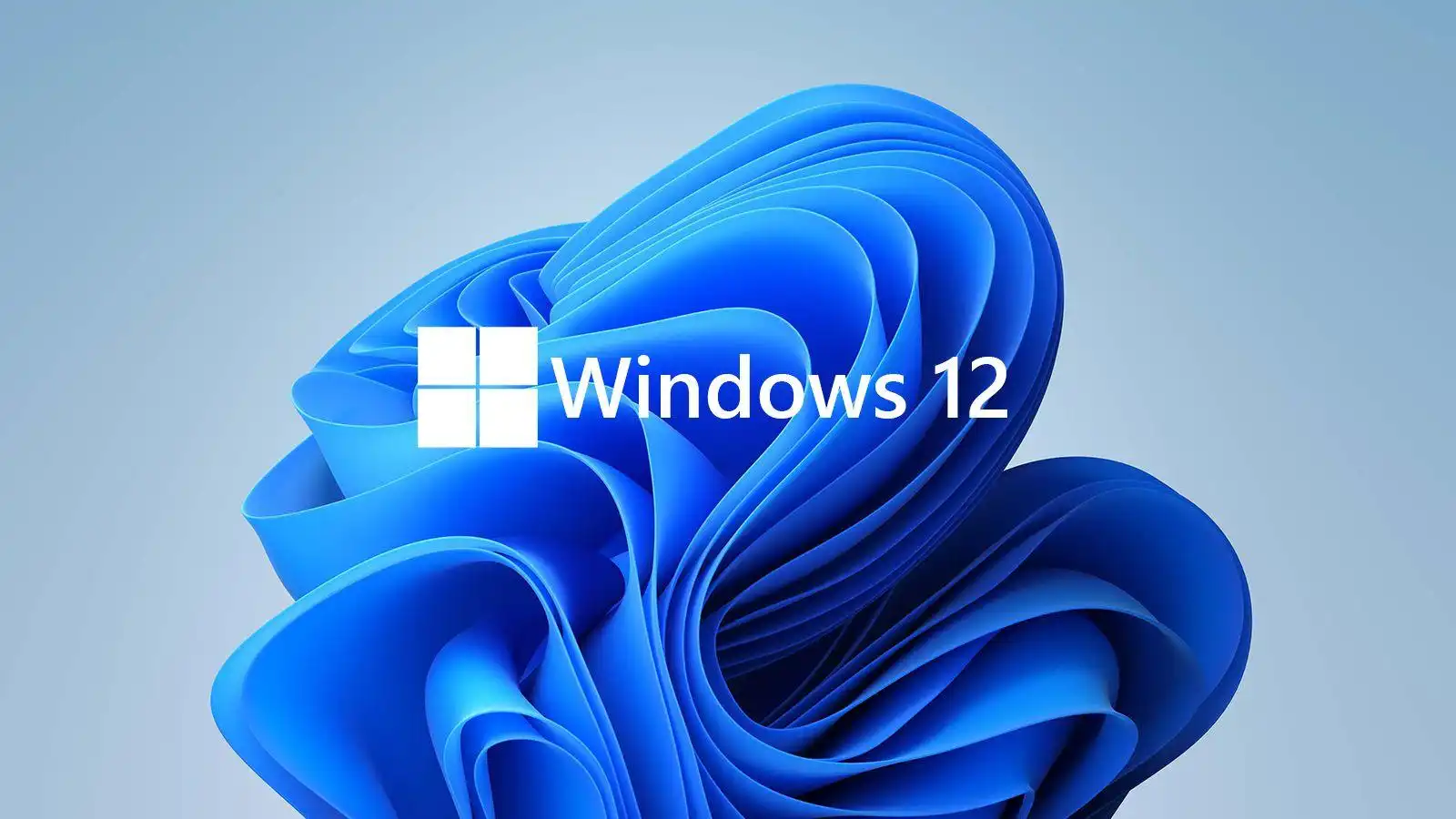
The tech world is buzzing with whispers of the next big thing from Microsoft: Windows 12. As we hit late 2025, with Windows 11’s latest 25H2 update rolling out fresh features like enhanced Copilot and faster performance, eyes are turning to what comes next. While Microsoft hasn’t dropped an official bombshell yet, leaks, insider reports, and industry patterns point to Windows 12 as the evolution of the Windows 12 features we’ve all been craving—smarter AI, modular design, and seamless integration for a post-pandemic, AI-driven world.
If you’re a gamer eyeing better hardware support, a remote worker dreaming of zero-lag multitasking, or just someone tired of OS glitches, this guide unpacks the Windows 12 updates you need to know. We’ll cover the speculated Windows 12 release date, standout features, how it builds on Windows 11, and your upgrade path. Drawing from Microsoft’s roadmap and expert analyses, here’s everything to get you ahead of the curve. No hype, just facts and foresight—because staying informed means smoother transitions in the fast-moving Microsoft Windows 12 landscape.
Why Windows 12 Matters: The Shift in Microsoft’s OS Strategy
After Windows 10’s end of support in October 2025, Microsoft doubled down on Windows 11, calling 2025 the “year of the refresh.” But with hardware advancing—think NPUs for AI and foldable devices—the stage is set for Windows 12. It’s not just an incremental update; it’s poised to redefine the OS lifecycle with a focus on intelligence, security, and adaptability.
Industry watchers, including reports from PCMag and Tom’s Hardware, suggest Windows 12 will address Windows 11’s pain points: bloat, hardware barriers, and fragmented experiences. In a year where AI tools like ChatGPT dominate, AI in Windows 12 could make your PC a proactive partner, not just a tool. For students, it means smarter study aids; for entrepreneurs, automated workflows; for everyday users, less hassle.
Microsoft’s strategy? Annual refreshes for Windows 11 give way to a major leap, potentially syncing with the end of Windows 10’s paid ESU in 2028. As one analyst noted in a 2025 Windows Central piece, “Windows 12 isn’t coming soon—it’s inevitable for AI PCs.” Buckle up; this could be the OS that bridges desktops and AR glasses.
Quick Insight: If you’re on Windows 11 25H2, you’re already tasting previews—features like real-time AI feedback in File Explorer hint at Windows 12’s direction.
Windows 12 Release Date: Timeline and What to Expect
No official Windows 12 release date yet, but patterns point to late 2025 or early 2026. Microsoft skipped Windows 12 in 2024 to polish Windows 11, as per CES 2025 announcements. Leaks from Build conferences and Germanium platform codenames suggest a September-October 2025 debut, aligning with Windows 10’s EOL and hardware cycles.
Why the wait? Testing for AI-heavy features requires robust NPUs, now standard in 60% of new laptops (per Statista 2025 data). Insiders in the Canary Channel are already tinkering with builds like 27975, which include modular UI tweaks—early signs of Windows 12.
Expect a phased rollout: Beta for Insiders in Q1 2026, public release mid-year. For businesses, enterprise editions might lag to Q3. If history repeats Windows 11’s six-year gap from 10, 2026 feels right. Keep an eye on Microsoft’s blog; a surprise Ignite keynote could accelerate things.
Key Windows 12 Features: Smarter, Faster, and More Intuitive
Rumored Windows 12 features emphasize modularity and AI, making the OS feel alive. Based on patents, leaks, and Windows 11’s trajectory, here’s what stands out.
AI Everywhere: Copilot Evolves into a True Companion
AI in Windows 12 takes center stage. Copilot+ PCs get an upgrade with “Hey Copilot” voice activation and agentic AI for tasks like auto-summarizing meetings or generating code. Imagine your desktop predicting needs—flagging low battery during video calls or suggesting file reorganizations.
Key perks: Real-time translation in Teams, AI-powered photo editing in Paint, and predictive text across apps. For gamers, AI upscaling could rival NVIDIA’s DLSS without extra hardware. This isn’t gimmicky; it’s about reducing cognitive load, as highlighted in Microsoft’s 2025 AI roadmap.
Modular Interface: Customize Like Never Before
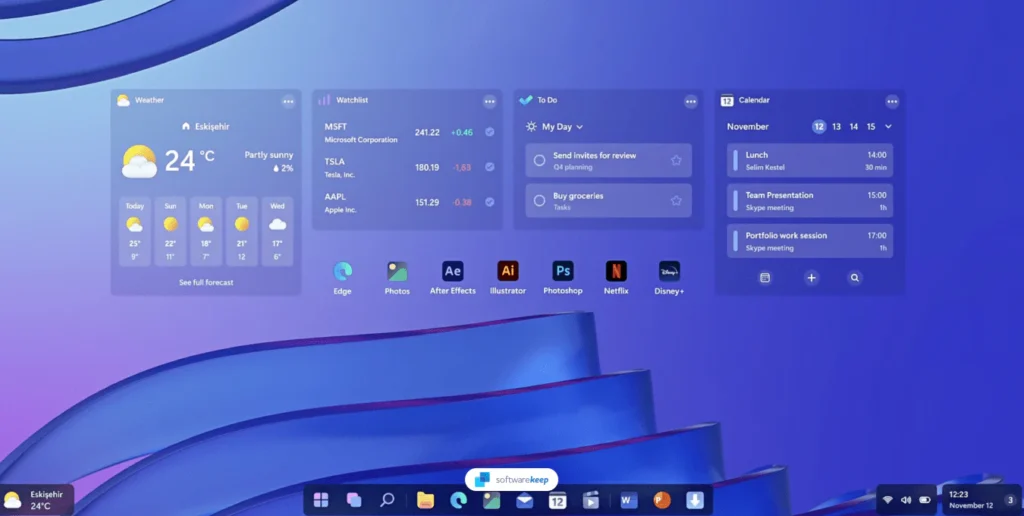
Ditch the rigid Start menu—Windows 12 rumors point to a “Brilliant” concept with floating widgets, adaptive taskbars, and resizable panels. Inspired by macOS and Android, it lets you pin AI assistants or virtual desktops dynamically.
Best for: Remote workers juggling apps. A designer-shared concept on Windows Central shows added customization, like theme-syncing across devices, boosting accessibility.
Enhanced Security and Privacy
Building on Windows 11’s TPM requirements, Windows 12 amps up zero-trust models. Features like built-in passwordless logins via biometrics and AI threat detection (scanning for phishing in real-time) address 2025’s cyber surge.
Implications? Fewer pop-ups, more peace of mind—ideal for parents securing family PCs or businesses meeting compliance.
Gaming and Performance Boosts
Gamers rejoice: DirectStorage 2.0 and Auto HDR evolve with AI frame generation, slashing load times on SSDs. Support for ARM chips improves, making Windows 12 viable on Qualcomm’s Snapdragon X Elite for battery life up to 20 hours.
H3: Hardware Integration for Foldables and Hybrids
Expect native support for dual-screen devices, with gestures for snapping apps across folds. This ties into Microsoft’s Surface lineup, making Windows 12 the OS for tomorrow’s form factors.
(For more on AI tools, check our guide to AI productivity in Windows.)
Windows 12 Updates: Annual Refreshes and Long-Term Support
Post-launch, Windows 12 updates follow Microsoft’s cadence: A major version 26H1 in 2026, with biannual security patches. Unlike Windows 10’s fixed lifecycle, Windows 12 eyes 10+ years of support, per policy shifts.
AI updates will be key—expect over-the-air enhancements like new Copilot skills via the Store. For developers, Windows Subsystem for Android evolves into full app emulation. Businesses get LTSC editions for stability, skipping consumer fluff.
Challenges? Bloat control—Microsoft promises slimmer installs, addressing Windows 11 critiques. X posts from insiders buzz with excitement: “Windows 12’s modular updates could end forced reboots forever.”
Upgrading from Windows 11 to Windows 12: What You Need to Know
Transitioning to Windows 11 to Windows 12 upgrade should be seamless for compatible hardware. Minimum specs? Likely 8th-gen CPUs (or equivalent), 8GB RAM, and NPU for AI—up from Windows 11’s bar.
Steps for a Hassle-Free Upgrade:
- Check Eligibility: Use the upcoming PC Health Check 2.0 (expected Q1 2026) to scan.
- Backup Data: OneDrive or external drives—preserve settings with Windows Backup.
- Install Path: Free via Settings > Update & Security, preserving files. Clean installs for power users via USB media.
If ineligible, ESU-like bridges or new PCs (starting $500 for AI-ready) are options. Benefits? 30% faster multitasking and native AI, per beta leaks.
Best Practices: Join the Insider Program early for previews. For enterprises, use Intune for phased rollouts. Students? Upgrade during breaks to test features like AI note-taking.
Potential hiccups: App compatibility—most Windows 11 software ports over, but test legacy ones.
Implications of Windows 12: For Users, Businesses, and the Future
Windows 12 features could reshape daily life. For individuals, it’s efficiency gains—AI handling rote tasks frees time for creativity. Remote workers benefit from better hybrid app support, reducing Zoom fatigue.
Businesses? Cost savings via automation, but upfront hardware upgrades loom. Globally, with 1.4 billion Windows users, adoption could spike AI PC sales by 50% in 2026 (IDC forecast).
Downsides? Privacy concerns with pervasive AI—Microsoft pledges opt-ins. And if delayed, Windows 11 fatigue might push users to alternatives like Linux.
Overall, Windows 12 signals a mature OS: Inclusive, intelligent, and ready for Web3 and metaverses.
Wrapping Up: Get Ready for the Windows 12 Era
Windows 12 isn’t just an update—it’s Microsoft’s vision for an AI-infused future, with Windows 12 features like advanced Copilot, modular UIs, and robust security set to transform how we compute. From the speculated late 2025 Windows 12 release date to ongoing updates, it’s building on Windows 11’s foundation while tackling real-world needs.
As rumors solidify, one thing’s clear: Staying current keeps you secure and innovative. Whether upgrading for gaming prowess or AI smarts, Windows 12 promises a leap forward in the Microsoft Windows 12 saga.
Excited? Download the latest Windows 11 update today to prep, or join the Insider Program for early peeks. What’s your must-have feature? Share in the comments!
Discover more OS insights at TechVaultMM
Explore digital updates